Govee TV LED Backlight – Eye-Strain-Reducing Bias Lighting for Relaxing Movie Nights on 55-65 Inch TVs
Govee TV LED Backlight – Eye-Strain-Reducing Bias Lighting for Relaxing Movie Nights on 55-65 Inch TVs
Couldn't load pickup availability
Why you'll love it
- RGBIC color segmentation produces multi-zone, vibrant gradients that ordinary single-color RGB strips cannot match
- Bias lighting behind the TV reduces eye fatigue during extended viewing in dim rooms
- Voice control with Alexa and Google Assistant removes the need to reach for the remote or phone
- Built-in microphone music sync turns any TV area into a mini concert or party zone without extra hardware
- 99+ preset scenes and 11 music modes offer one-tap variety for any mood or occasion
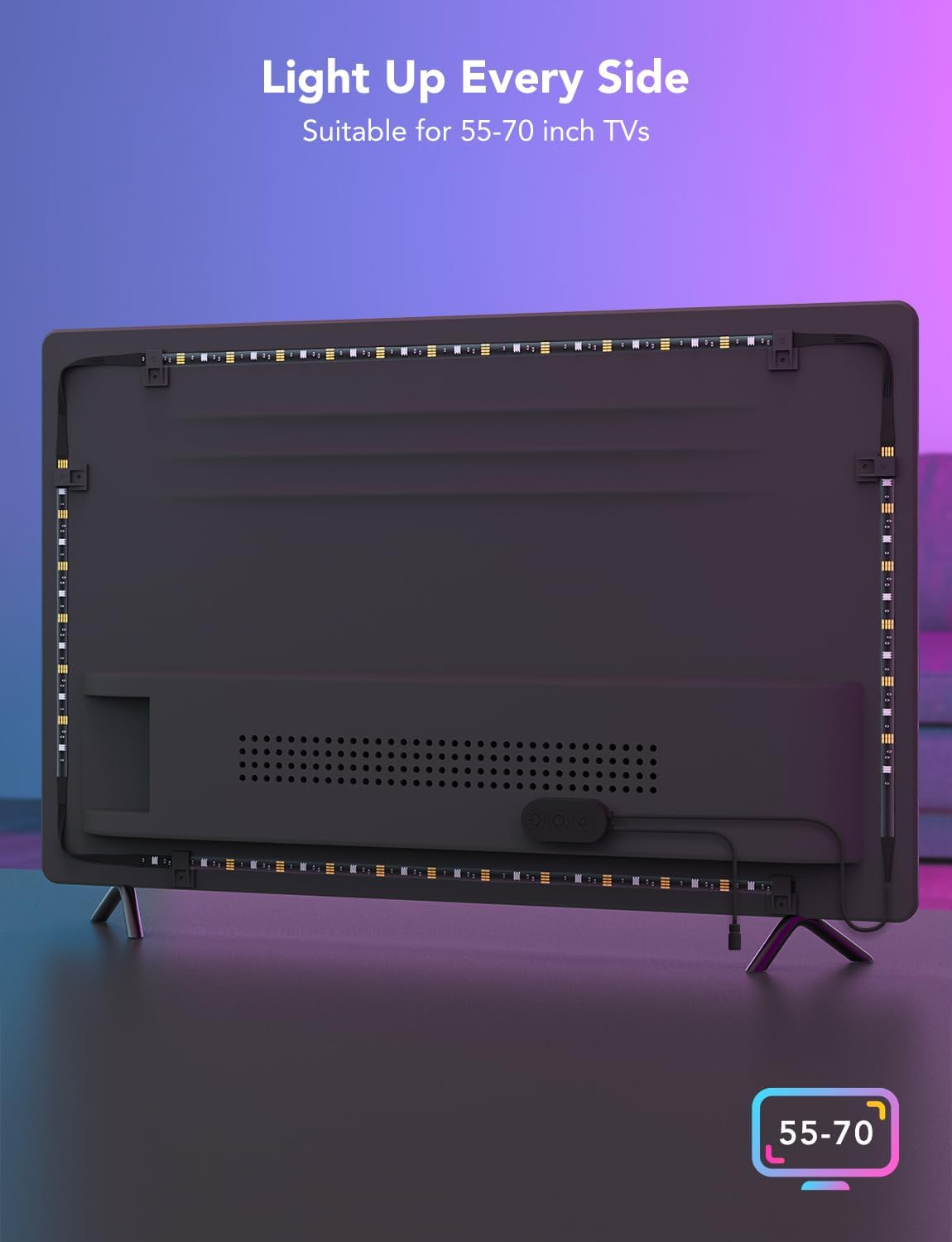
- 12.5ft length with included cable clips delivers a clean, snug 4-side install on 55-65 inch TVs
Perfect for
- bias lighting behind a 55-65 inch TV to reduce eye strain during long movie nights
- immersive ambient lighting for gaming sessions that react to on-screen action and music
- party and entertainment lighting synced to music via the built-in microphone
- hands-free mood lighting controlled by Alexa or Google Assistant voice commands
- holiday and seasonal room decor using the 99+ preset scene modes
Frequently Asked Questions
Will the Govee TV LED backlight actually reduce eye strain during long viewing sessions?
Yes. Bias lighting behind the TV softens the contrast between the bright screen and the dark room, which is the main cause of eye fatigue. Many viewers notice they can watch for hours without the tired, dry-eye feeling they used to get.
Can I set it up as part of a calming bedtime wind-down routine?
Absolutely. Many users set a soft amber or warm-white scene in the Govee Home app and pair it with their evening routine to signal to their brain that it's time to relax. You can save it as a 'Wind Down' scene and recall it with one tap or a voice command.
Is it helpful for meditation, yoga, or mindfulness practices at home?
It's a beautiful complement to those practices. Slow gradient scenes in soft pinks, lavenders, and ambers create a calming atmosphere for stretching, breathwork, or guided meditation, and the music sync mode can also respond to calming playlists.
Will bright colors at night mess up my sleep?
You control the color and brightness, so for evenings you can simply choose warm tones at low brightness. The app makes it easy to avoid the blue-heavy presets after dark and switch to sleep-friendly warm light.
Does it help with headaches or visual fatigue from screen time?
Many users report fewer tension headaches and less eye strain because bias lighting reduces the harsh contrast that triggers them. It's not a medical device, but it's a well-established comfort principle used in home theaters and professional editing suites.
Is this a good investment in my personal wellbeing, or just a gadget?
If you watch TV most evenings, the eye-comfort benefit alone pays for itself. Layered on top of that, you get a calmer, more intentional room atmosphere that supports rest and relaxation, which is a real quality-of-life upgrade.
Can I use it during a bath or self-care night for ambiance?
Yes, as long as the TV and the strip are in a dry area. Many people set a soft, spa-like scene in warm tones to make bath nights, face masks, or journaling sessions feel more indulgent and ritual-like.
How does bias lighting compare to just using a dim lamp in the corner?
A corner lamp creates uneven light and still leaves a bright-dark contrast around the screen. Bias lighting surrounds the screen with even, soft light, which is what actually reduces eye strain. It's the same principle used in professional post-production studios.
Is this better for eye comfort than those blue-light glasses?
They address different things. Blue-light glasses filter the screen itself, while bias lighting reduces the contrast between screen and room. Many viewers find the combination works extremely well, but the bias light alone already makes a noticeable difference.
I'm skeptical that a light strip can really improve my wellbeing, what should I expect?
Expect a subtle but real shift: less eye fatigue at the end of a movie, a more calming evening atmosphere, and an environment that feels intentional rather than harsh. Most people don't notice how much they needed it until they've used it for a week.
Can the brightness or color changes stress me out instead of relaxing me?
Only if you choose fast, flashy scenes. For relaxation, stick to the slow gradients, solid warm colors, or low brightness, and you'll get a soothing effect. The choice is yours, so you never have to use a mode that feels overstimulating.
Is there any research behind bias lighting for eye comfort?
Yes. Bias lighting is a long-recommended practice from display manufacturers, cinematographers, and ergonomics experts because it reduces the pupil adjustment the eye has to make between a bright screen and a dark room. This Govee strip is one of the easiest ways to apply it at home.
How do I install the Govee TV LED backlight on my TV?
Clean the back edges of your TV, peel the adhesive backing off the strip, and press it into place along the four edges of the screen starting from the bottom corner where the control box sits. Use the included cable clips to secure any excess length and the corner connectors for clean 90-degree bends. The whole process usually takes 10-15 minutes.
How do I connect the strip to the Govee Home app?
Download the Govee Home app, create an account if needed, tap the plus icon to add a device, and select the TV backlight model. Make sure your phone is on 2.4GHz Wi-Fi (not 5GHz) when pairing, and the strip will appear in your device list within a minute or two.
How do I use Alexa or Google Assistant to control the lights?
In the Govee Home app, open the device settings and enable the Alexa or Google Assistant skill, then link your Govee account. Once linked, you can say things like 'Alexa, turn the TV backlight to blue' or 'Hey Google, dim the living room strip to 30 percent'.
Will this strip fit my 70 inch or larger TV?
It is designed and length-optimized for 55-65 inch TVs. On larger screens you may have partial coverage on the sides, so for 70 inch and up you would want a longer LED strip or to verify the measurement before installing.
Does it work with Apple HomeKit or Samsung SmartThings?
It works with Alexa and Google Assistant natively, and through those platforms you can often include it in broader smart home routines. Native HomeKit and SmartThings support is limited, so check the latest Govee documentation if those ecosystems are critical to your setup.
What comes in the box, and do I need to buy anything extra?
Inside the box you'll find the 12.5ft RGBIC LED strip, the control box, the 12V DC adapter, corner connectors, cable clips, and a quick-start guide. You don't need to buy anything else to get it running, though you will want a smartphone with the Govee Home app for full control.
Is the LED strip safe to leave on all night?
Yes. It runs on a low-voltage 12V DC adapter, stays cool, and is designed for extended use. Many people leave it on a dim warm scene overnight as a night light, though for energy savings you can set a sleep timer in the app to have it turn off automatically.
What happens if one section of the strip stops working?
First, reseat the corner connectors and check that the control box is firmly plugged in. If a specific zone is dark or flickering, contact Govee customer support with your order details, as the strip is covered by a manufacturer warranty for defects.
What is the difference between RGB, RGBIC, and RGBW LED strips?
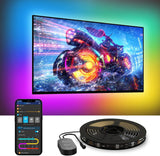
Standard RGB strips can only show one color at a time across the entire strip. RGBW adds a dedicated white channel for cleaner whites. RGBIC, which is what this Govee strip uses, adds an independent control chip so multiple colors can flow along the same strip at the same time, creating those signature gradient effects you see in the product photos.